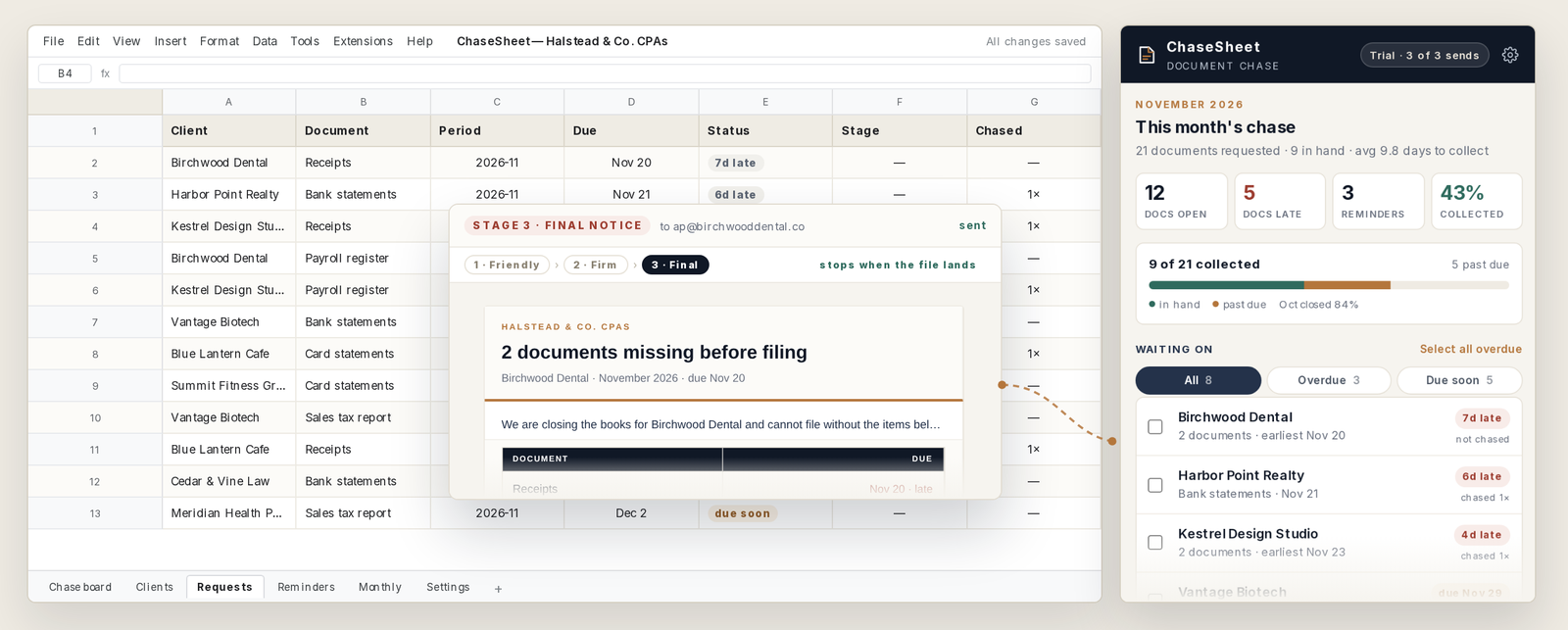
Mail-merge add-ons send one email and forget. ChaseSheet keeps chasing — three escalating stages per client — until the document is in. Then it stops on its own.
Select the overdue → preview the reminder → send → watch the record update. Recorded from the add-on, not a storyboard.
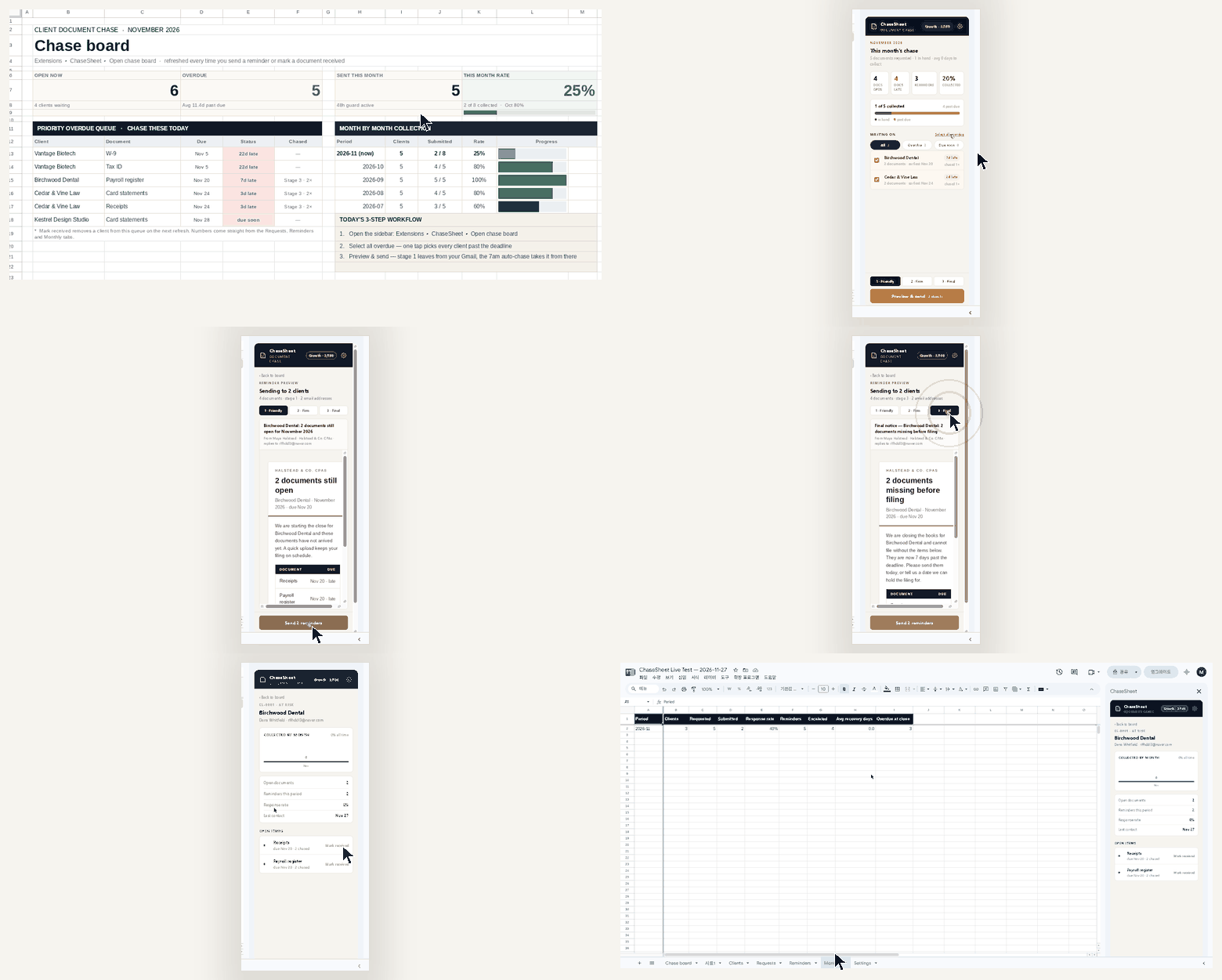
Everything below is the real sidebar, reading a real sheet. No illustrations of a product that does not exist yet.
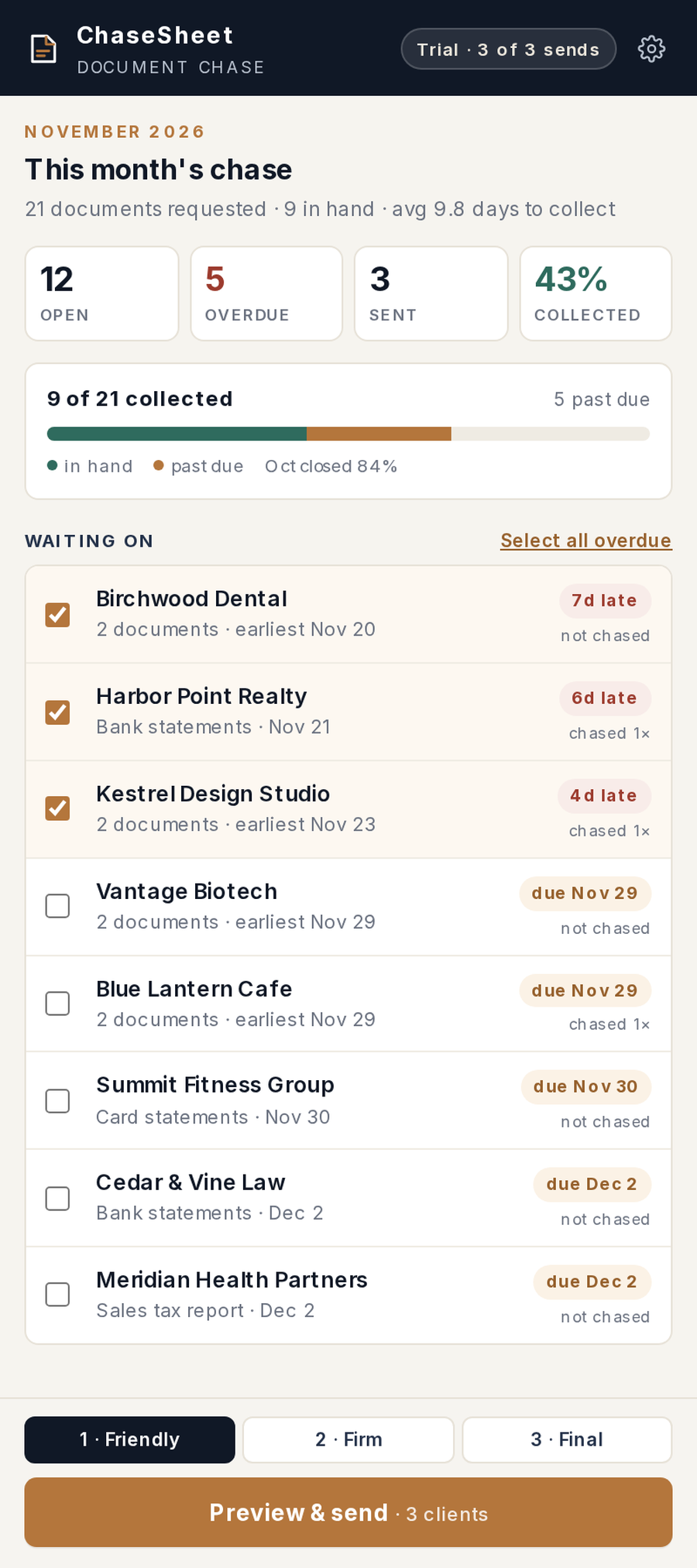
Open, overdue, sent and collected come from the same rows your team already keeps. One tap selects every client past the deadline.
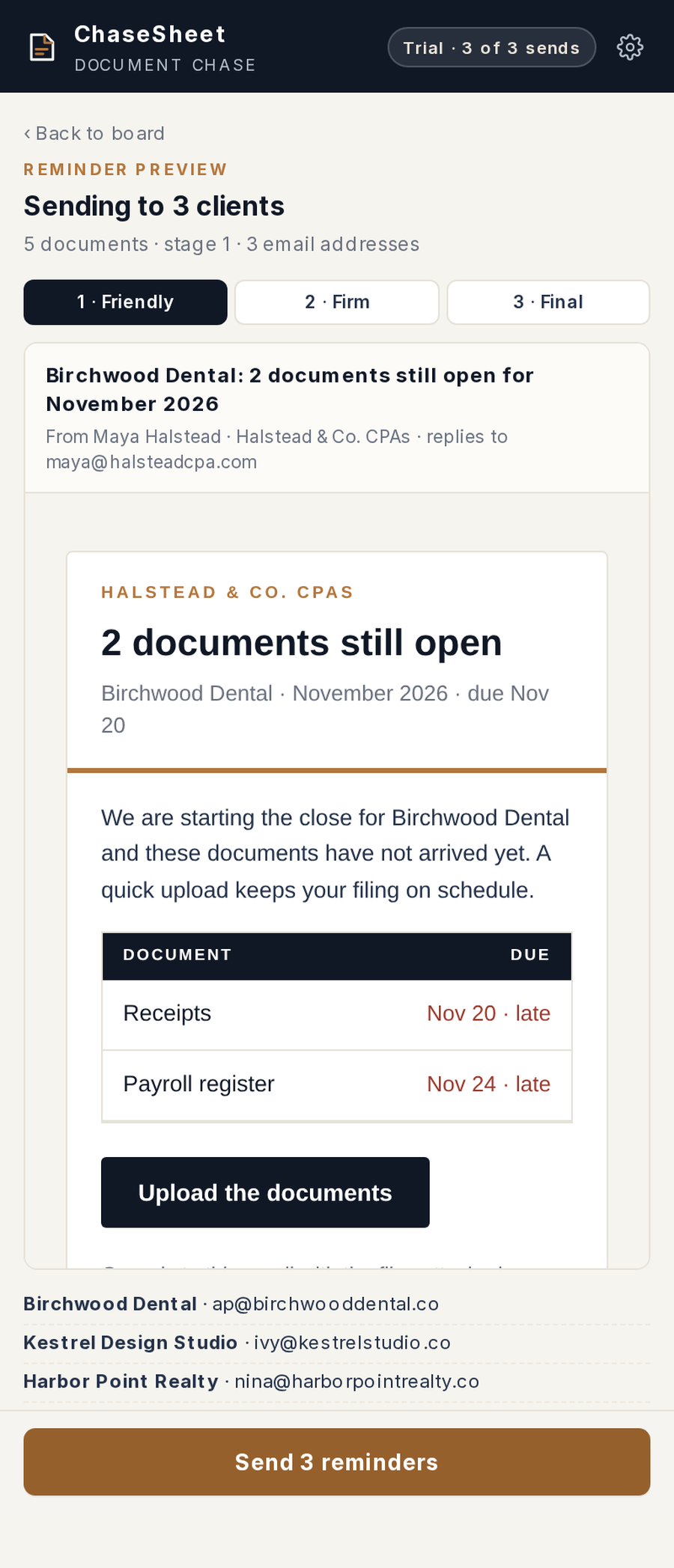
Stage 1 asks, stage 2 follows up, stage 3 gives notice before filing — the copy changes, the document table stays the same. It goes out from your Gmail, signed with your name.
Each client keeps a month-by-month record: what was collected, how many reminders it took, how late they ran. That is the part a mail merge cannot give you — and the part that makes next January easier.
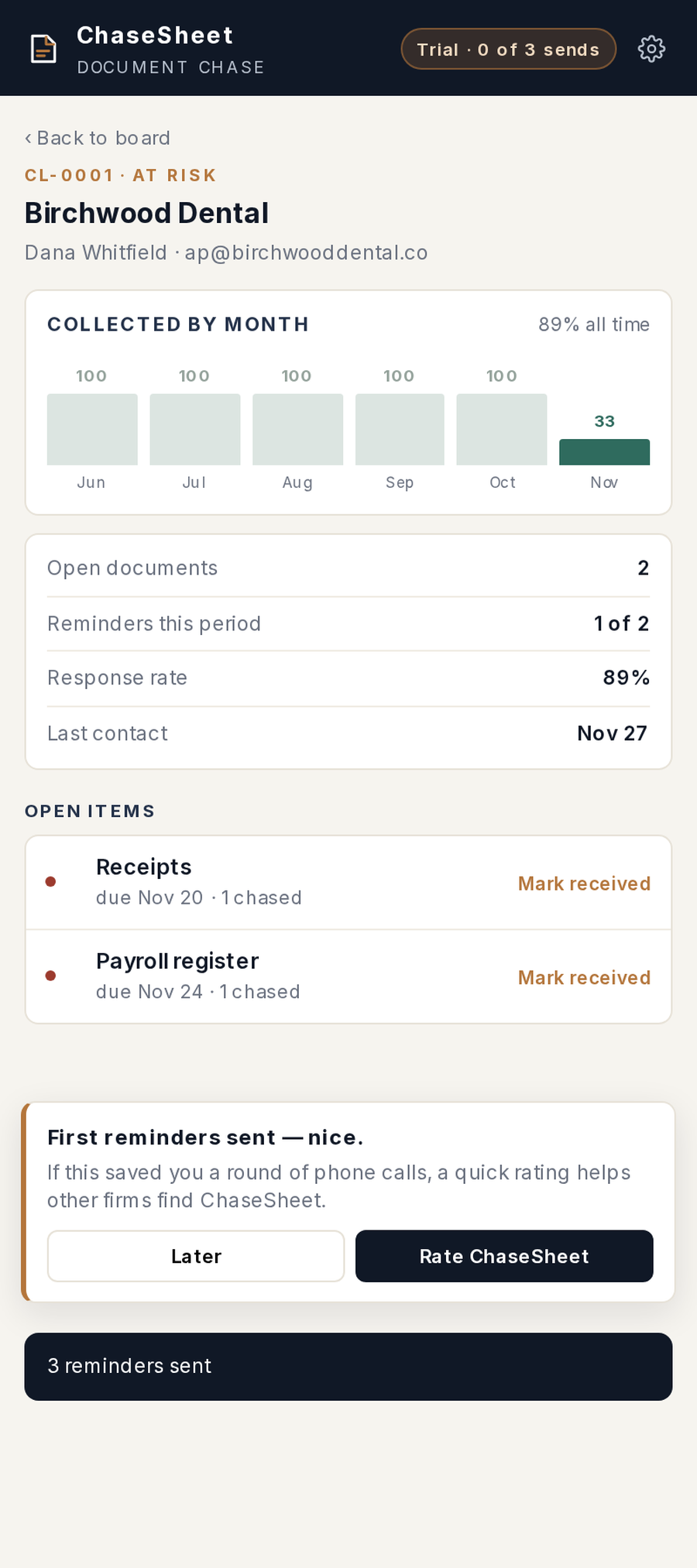
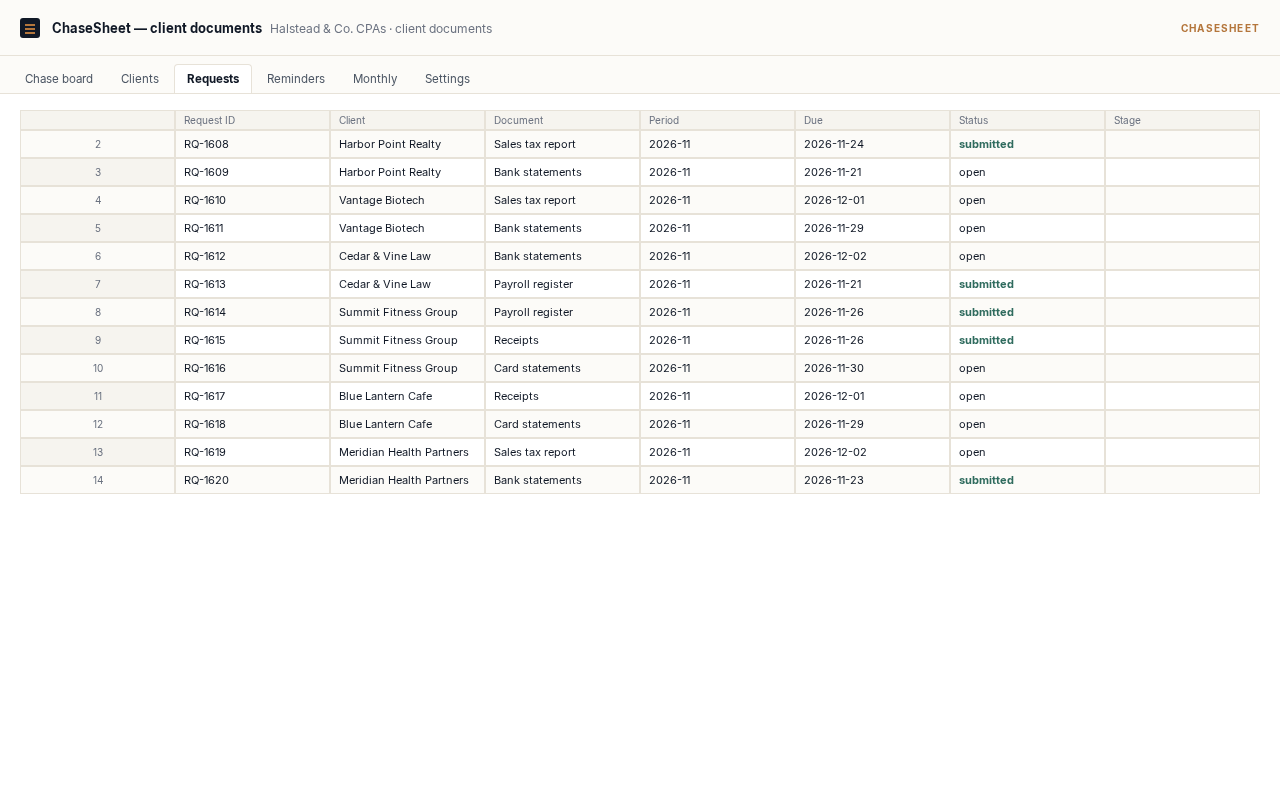
Six tabs, one row per document, no export step. If you ever stop paying, the sheet stays exactly as it is.
Both solve a third of the job. A merge tool has no idea what is still missing. A portal solves it — for $35 to $215 a month, and a system your client has to learn.
| What the job needs | Mail-merge add-ons | Document portals | ChaseSheet |
|---|---|---|---|
| Tracks each document per client | No — sends a list once | Yes | Yes, one row per document |
| 3-stage escalation that advances itself | No — manual follow-up | Yes | Yes — friendly, firm, final |
| Stops the chase when the file arrives | No | Yes | Yes — queue only holds what is missing |
| Per-client response rate, month after month | Open / click stats only | Yes, on their dashboard | Yes, in your own Sheet |
| Client has to use a separate portal | No | Yes — a separate portal | No — email + upload link |
| Price for a small firm | $4–20 / month | $35–215 / month | $19 / month |
| Where the data lives | Their servers | Their servers | Your Google Sheet |
Competitor pricing checked November 2026 on each vendor's public pricing page (Content Snare: $42–258 monthly, $35–215 annual).
Google shows this exact list on the consent screen before install. There is no blanket scope in it — no Gmail read permission, no Drive permission. Here is every line, with what it is for.
Reads and writes only the file the sidebar is running in. It cannot list, open or touch your other spreadsheets.
Sends from your Gmail as you. The Gmail read scope (gmail.readonly) is not requested, so the add-on cannot open, search or list a single message in your inbox.
Shows the chase board, the reminder preview and the client record inside your sheet.
Talks to api.mangolifelab.com to validate your plan key and record a monthly count of reminders. Nothing from your sheet is included in it.
Ties the plan key to the Google account that activated it, so one seat is one spreadsheet.
gmail.readonly, gmail.modify, drive, drive.file, Calendar and Contacts are all outside the permission set. Upload links point at a Google Form or Drive folder you own; the add-on only sends the URL.
Your client list, documents and history live in your Sheet and nowhere else. If you stop paying, the sheet is untouched — the add-on only stops sending. More in the FAQ.
Launching soon on the Google Workspace Marketplace — join the waitlist for early access. From install it takes three minutes: open your client sheet and the add-on builds its own tabs beside your data.
Extensions ▸ ChaseSheet. The six tabs appear: Chase board, Clients, Requests, Reminders, Monthly, Settings.
Paste your client list, or let the add-on open this month's requests from each client's document list and due day.
One tap selects every client past the deadline. You see the exact email before it leaves, signed with your firm's name.
Plans open when the Marketplace listing goes live — the waitlist hears first and nothing is charged today. Every install starts with 10 free chases and 14 days. Daily auto-chase runs once each morning and sends a client at most one reminder per 48 hours (Settings ▸ cool-down hours).
If something is missing, write to support@mangolifelab.com — a person answers.
The Google Workspace Marketplace listing is not public yet. Join the waitlist and we email you the day it goes live, before we announce it anywhere else. Prices on this page are what the plans will cost from launch.
No. They get an email with the document list, the due date and one upload button that opens your Google Form or Drive folder. The link carries their client ID, so the file lands in the right place.
The trial is 14 days with 10 free chases. When it ends, sending pauses and nothing is deleted: every tab, every month of history and every reminder log stays in your Sheet. Pick a plan and the same sheet carries on where it stopped.
In your Google Sheet. ChaseSheet writes to the current spreadsheet only — it does not open your Drive, and it does not read your inbox. Our server only sees which plan key is active and a monthly count of reminders.
Five, and they are all narrow: spreadsheets.currentonly (the open file only), script.container.ui (the sidebar), script.send_mail (send the reminder), script.external_request (check the plan key), userinfo.email (which account the plan belongs to). The entire list is on the permissions panel above, matched to what each one is for.
No — and it cannot. The add-on requests script.send_mail, which can only send a message; it has no way to open, search or list anything in your inbox. The Gmail read scope (gmail.readonly) and gmail.modify are not in the permission set, which you can confirm on the Google consent screen before you install it. Replies go to the Reply-To you set, so a client's answer lands in your own inbox and never in a database of ours.
No. ChaseSheet requests no Drive permission at all — not drive, not drive.file. The upload link in a reminder points at a Google Form or Drive folder you own; the add-on only puts that URL in the email. It never creates, opens or reads a Drive file.
The daily job runs once at 7am and only looks at documents that are due or already late. Before it sends, it checks each client's last reminder: if one went out less than 48 hours ago, that client is skipped and the reason is written to the Reminders tab. So a client receives at most one reminder per two days, which is the escalation ladder moving — stage 1, stage 2, stage 3 — not a repeat of the same message. Mark a document received and that client drops out of every future run.
Yes. Run Extensions ▸ ChaseSheet on the new file and paste the same plan key: one seat is one spreadsheet. If you need to reinstall on a fresh file, release the old seat from your receipt page first, then activate again.
The Sheet and its history work offline like any Google Sheet. Sending reminders needs a connection, because the mail leaves from your Gmail. If the license server is unreachable, the add-on keeps running on its cached plan for a day.
Google Workspace and personal Gmail accounts. Workspace administrators can approve the add-on for the domain from the Google Workspace Marketplace.
It adds its own tabs and never edits yours. If you already track clients in a sheet, paste those rows into the Clients tab once and it takes over from there.
A merge tool sends your list once and keeps no idea what came back. ChaseSheet stores each document as a row with a status, so the queue only ever holds what is still missing — and the reminder ladder advances on its own until the row is marked received.
A portal is a second system — for you to run and for your client to use, usually $35–215 a month. ChaseSheet stays in the Sheet you already open, emails a plain link, and charges $19. What it does not do is host the files: they come back through your own Google Form or Drive folder.
Yes. The Reminders tab records who sent what and when, and the 48-hour per-client gap is checked before every send, so a colleague cannot double-send by accident.
Open the sheet, select the overdue, send. Then let the ladder run.
 ChaseSheet